
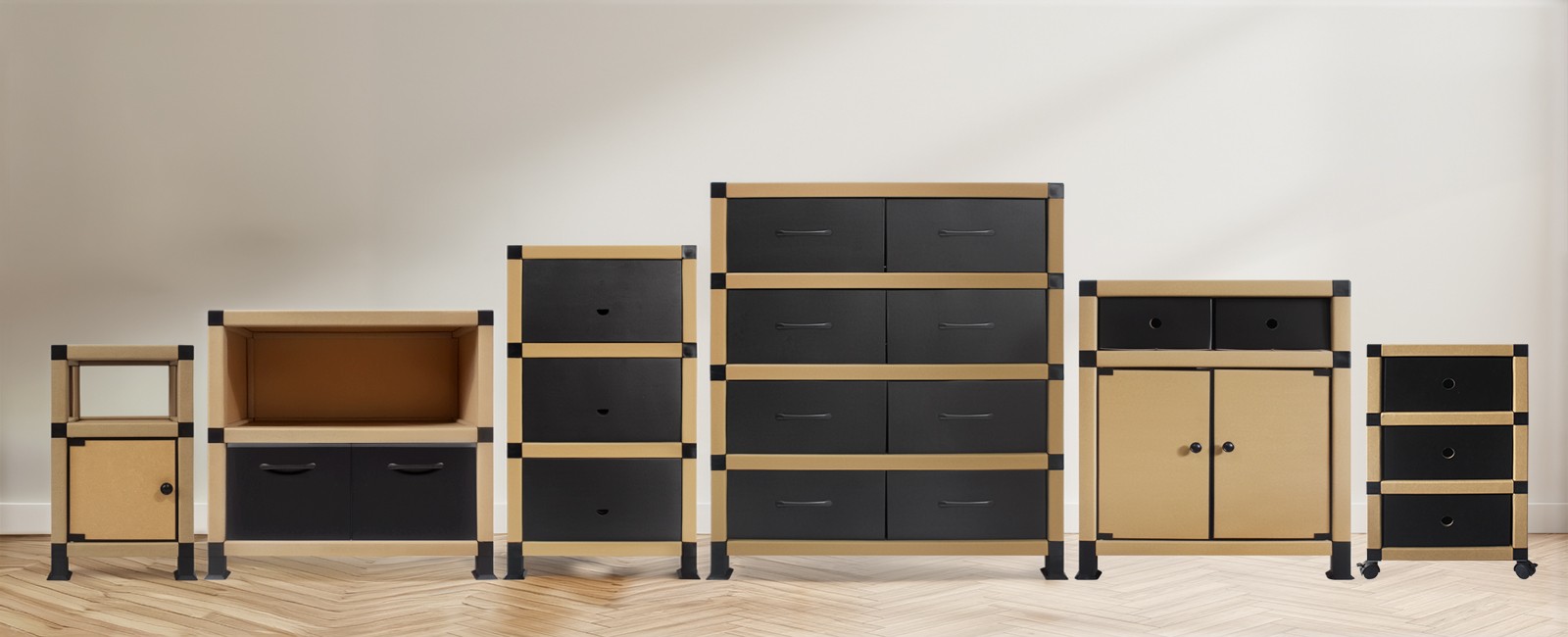
You set up your new television, arranged the speakers, plugged in the streaming box, and connected the game console. Then you step back and realize something: your living room looks like a server room. Power cables snake across the floor, HDMI cords dangle behind the screen, and a power strip sits exposed like an octopus on the carpet. TV cable clutter is one of the most common frustrations in modern homes, and it goes beyond aesthetics. Loose cables collect dust, create tripping hazards, and make cleaning around the entertainment area a chore. The right piece of furniture can change that, and an eco-friendly tv stand or media cabinet does more than just hold your screen. It gives every cable, device, and accessory a designated home.
Most people try to tackle cable mess with adhesive clips, zip ties, or plastic cable covers stuck to the wall. These fixes work temporarily, but they share a common flaw: they treat the symptom instead of the cause. The real problem is that TVs, media players, routers, speakers, and chargers all need a place to sit, and their cables need a structured path from device to outlet. When devices are scattered across open shelves or balanced on whatever surface is handy, cables have no organized route and end up visible everywhere.
A well-designed media cabinet solves this at the source. Instead of routing cables after the fact, it builds cable management into the furniture itself. Enclosed compartments keep devices out of sight, internal shelving separates components so cables run shorter distances, and rear panel openings let cords pass through cleanly to power sources. The clutter disappears not because you hid it, but because the furniture gave it structure.
A thoughtfully designed cardboard storage cabinet for living room use addresses cable management through several built-in features that work together:
Cabinets with doors let you place your cable box, router, and streaming devices inside closed storage. Once the doors close, the cables, blinking lights, and devices vanish from view. This is the single most effective way to reduce visual clutter. A paper storage cabinet with doors and open shelf combines the best of both worlds: enclosed storage behind doors for devices and their cables, plus an open shelf for items you want to display or keep within reach, like a soundbar or decorative pieces.
When every device sits on the same surface, their cables crisscross and tangle. A cabinet with multiple shelves and compartments lets you place each device on its own level. The cable box goes on the bottom shelf, the router on the middle shelf, and the game console on top. Cables run vertically between shelves instead of sprawling horizontally, which keeps them shorter, neater, and easier to trace if you need to unplug something.
The back panel of a media cabinet is where cable management happens. Openings or cutouts at the back let you route power cables, HDMI cords, and audio wires through the cabinet and directly to the wall outlet. Instead of cables running across the floor from the TV to the power strip, they pass through the cabinet interior and exit at the back. This keeps the front and sides of the cabinet completely cable-free.
Beyond the devices themselves, most households accumulate a collection of spare cables, remote controls, batteries, and adapters. A cabinet with built-in drawers gives these small items a dedicated spot. Instead of a drawer full of tangled mystery cables in the kitchen, your media accessories live right where you use them. Models like the paper storage cabinet with doors, open shelf, and drawers offer all three storage types in one unit, so you can match each item to the right compartment.
When people hear "media cabinet," they usually picture solid wood or MDF. But paper-based furniture made from high-strength kraft paper tubes and reinforced panels offers distinct advantages for cable management and everyday use. MINHOU UNIMAX manufactures living room cabinets from recyclable paper materials that weigh roughly 20 to 30 percent of what traditional furniture weighs, which means you can reposition the cabinet to access the back panel for cable routing without straining your back or needing a second person to help.
The tool-free assembly system uses multi-prong polypropylene connectors that lock paper tubes and panels together securely. You can take the cabinet apart, route your cables through the back panel, and reassemble it in minutes. Try that with a glued and screwed MDF unit. If you move to a new apartment or rearrange your living room, the cabinet flat-packs into a compact carton that fits in a car trunk, and the cables you so carefully organized come out and go back in just as easily.
Once you have the right cabinet in place, a few practical steps will keep cable clutter under control for the long term:
1. Group cables by function. Power cables go to one side, signal cables (HDMI, optical audio) to the other. This separation makes it easier to identify which cable belongs to which device when you need to unplug or swap something.
2. Use the back panel openings strategically. Route the thickest cables first (power cords), then thread thinner cables (HDMI, Ethernet) through the same or adjacent openings. Keep cables loose enough to reach their devices but not so loose that they bunch up inside the cabinet.
3. Place the power strip inside the cabinet. If your cabinet has enough interior space, put the power strip on the bottom shelf and plug all devices into it there. Only one cable exits the cabinet to the wall outlet, which eliminates the cluster of power cords that usually accumulates behind the TV.
4. Label cables at both ends. A small piece of masking tape wrapped around each cable near the plug, labeled with the device name, saves you from the guesswork of tracing a mystery cord. Keep a few labels in the cabinet drawer for when you add or remove devices.
5. Keep spare cables in the drawers. Extra HDMI cables, chargers, and adapters go in the cabinet drawers instead of a junk drawer. When everything lives in one place near the TV, you spend less time hunting for the right cable and more time actually watching.
Not every living room needs the same cabinet configuration. Your choice depends on how many devices you run, how much floor space you have, and whether you want to display or hide specific items.
For a simple setup with just a TV and a streaming box, a compact cabinet with doors gives you enough enclosed space to hide the box and its cables. The paper storage cabinet with doors (model UM24064, measuring 67 x 40 x H73 cm) sits at a comfortable height for most TVs and keeps everything behind closed panels.
If you have multiple devices, a soundbar, and a collection of media accessories, look for a cabinet that combines doors, open shelves, and drawers. The paper storage cabinet with doors, open shelf, and drawers (model UM24063, at 67 x 42 x H82 cm) provides three storage types in one unit. Devices go behind doors, the soundbar sits on the open shelf, and spare cables and remotes go in the drawers.
For larger entertainment centers with gaming consoles, a cable box, a router, and decorative items, a multi-compartment cabinet like the paper cabinet for living room with multiple storage space (model UM24054, at 80 x 30.5 x H95 cm) offers enough divided sections to give each device its own zone. Divided compartments mean cables stay separated and shorter, which directly reduces tangle.
Choosing a paper-based media cabinet does not mean compromising on strength. MINHOU UNIMAX uses high-strength kraft paper tubes treated for water and stain resistance, paired with patented three-way and multi-prong connector systems that distribute weight evenly. The company's website states that selected structures can support an adult weighing up to 80 kg and that a bookshelf can carry a total load of 50 kg. While these figures are manufacturer claims and should be verified for your specific model, they reflect the structural engineering behind the product line.
The environmental benefits are straightforward. Paper furniture is recyclable at the end of its service life, which the manufacturer estimates at one to five years depending on use and environment. The flat-pack design reduces shipping volume, which lowers transportation emissions compared to fully assembled furniture. The company holds BSCI and FSC memberships and provides test reports covering formaldehyde, load capacity, and heavy metals. For renters, students, and anyone who moves frequently, a cabinet you can disassemble, pack flat, and reassemble without tools is not just convenient. It is furniture designed for the way people actually live today.
A media cabinet only works if you maintain the system. Every few months, pull the cabinet forward and check the cable routing at the back. Cables shift over time, especially if you add or remove devices. Re-clip loose cables, remove ones you no longer need, and restock the drawer with any accessories that have wandered to other rooms. Because paper-based cabinets are lightweight, this quick maintenance check takes a few minutes rather than a furniture-moving project.
Controlling indoor humidity also matters for paper furniture. Keep the cabinet away from direct moisture at floor level, and if you live in a humid climate, a dehumidifier or moisture absorber nearby will extend the cabinet's service life. The manufacturer recommends repairing damaged surface coatings promptly and retightening any loose joints, which keeps the structure solid and the cable management features functioning as designed.
TV cable clutter is not a problem you have to live with. The right media cabinet gives every device a place and every cable a path, so your living room looks like a place to relax instead of a place to store electronics. With a paper-based cabinet from MINHOU UNIMAX, you get cable management, storage, and sustainability in one tool-free, flat-pack package that works for apartments, rentals, dorms, and family homes alike.
